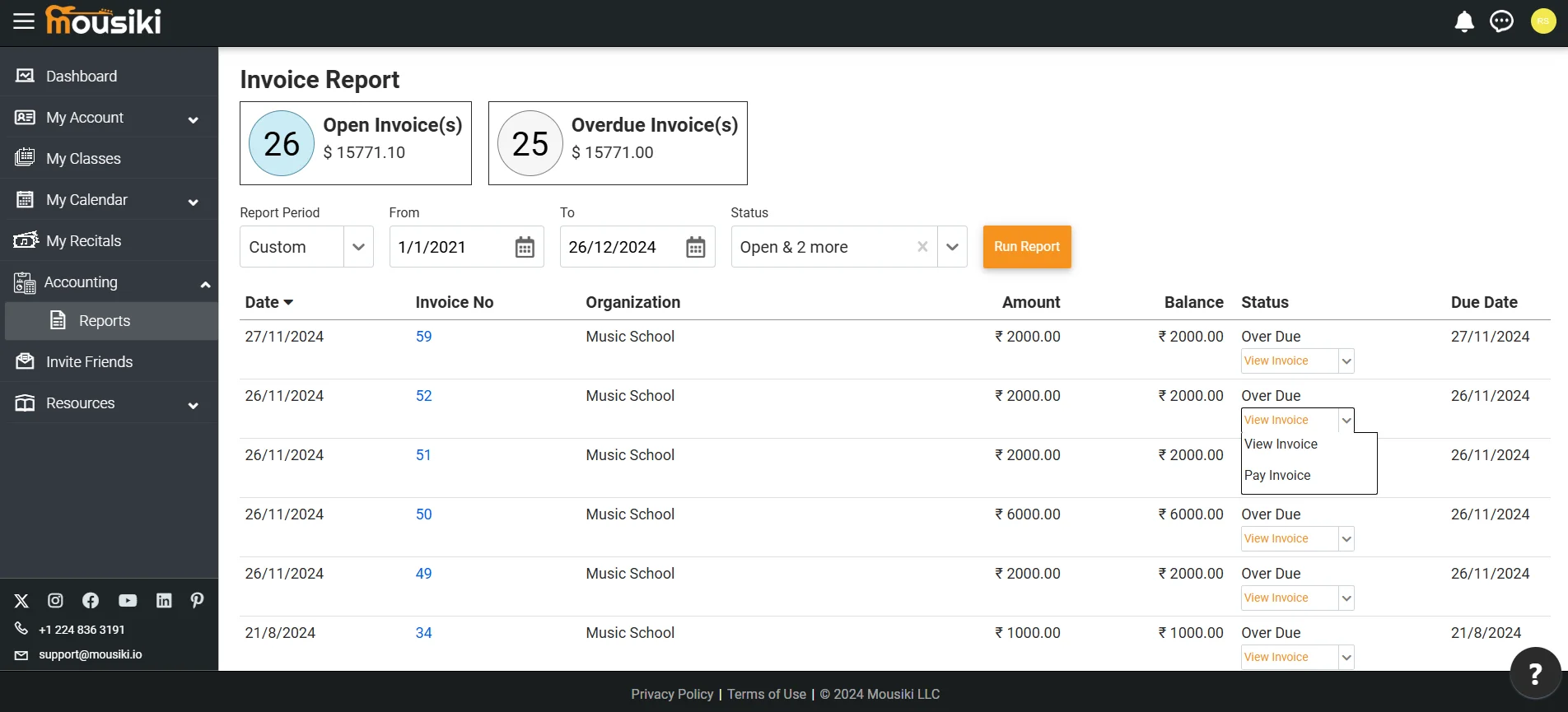
To view your invoices, navigate to the Reports option under the Accounting section in the main menu. Here, you’ll find a detailed and organized list of all your invoices, including outstanding balances, partially paid invoices, overdue items, canceled invoices, and those already paid. Each invoice displays key details such as due dates, payment status, and a clear breakdown of charges, allowing you to stay up-to-date on current dues and easily access past transactions for reference or record-keeping. This view helps you manage your finances with confidence and clarity.
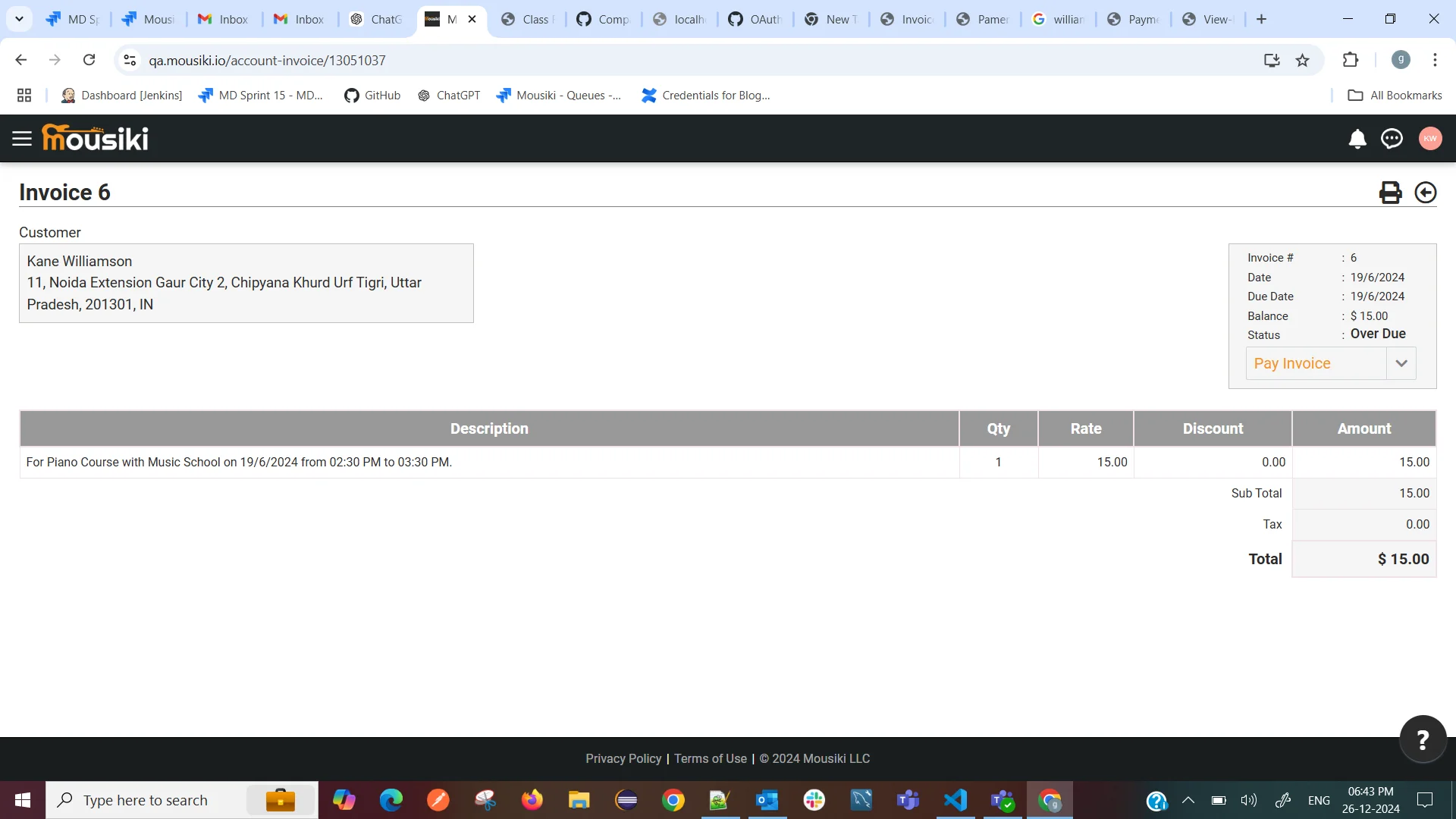
After reviewing your invoices, click the 'View' option to see the details of a specific invoice. The invoice view includes customer information, schedule details, due date, and the amount due. If the payment has been made, the payment details will also be displayed.
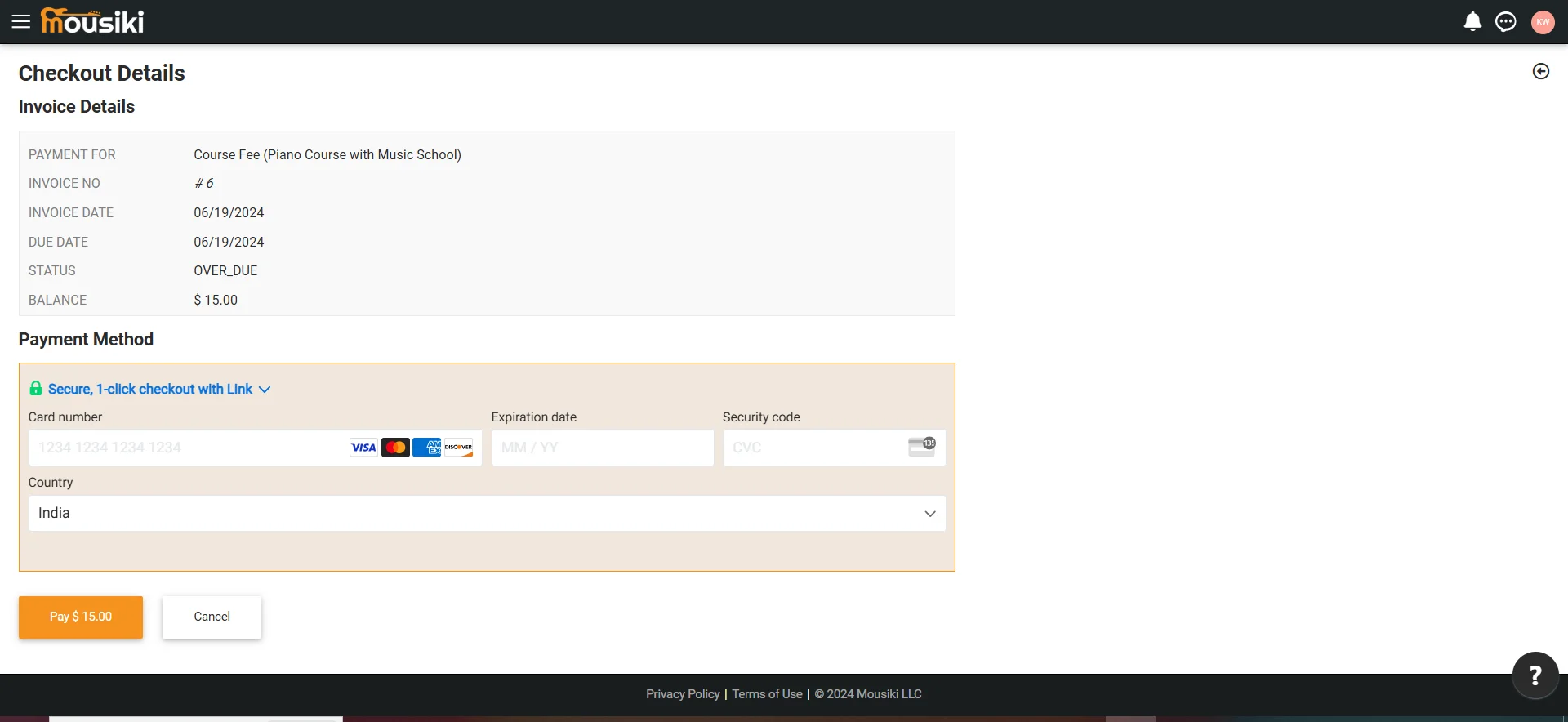
After reviewing your invoices, click on the Payment option to proceed with settling any outstanding balances. Select your preferred payment method, such as credit or debit card, and enter the required payment details securely. Once you confirm the payment amount, submit the transaction. You’ll receive an on-screen confirmation along with an email receipt, and the payment will be automatically recorded in your transaction history, allowing you to easily track all completed payments for future reference.

After completing the payment, you will be redirected to the payment confirmation page. This page provides all relevant details, including the invoice date, amount paid, payment method, and the last four digits of your card for reference. For your convenience, we’ve also included the recipient's information.